Stickman Kombat 2D
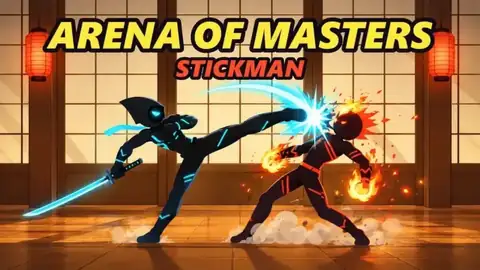
Chain martial-arts combos, uppercut launchers, and directional specials solo or in 2-player shared-keyboard duels — free in browser.
Runs free in browser · Desktop & Mobile · Instant Fullscreen
Preparing the Arena — Loading Stickman Kombat 2D…
Sharpening blades and arming floor traps
Stickman Kombat 2D Controls (1P, 2P & Mobile)
| Input / Gesture | In-Game Action |
|---|---|
| WASD Keys (Hold S to Block) | 1-Player Move, Jump & Crouch Block |
| J (Attack) · S + J (Uppercut) · K & Back + K (Specials) | 1-Player Attack, Uppercut & Specials |
| WASD Move + F (Attack) + G (Special Moves) | 2-Player Shared Keyboard — Player 1 |
| IJKL Move + : Colon (Attack) + " Quote (Special Moves) | 2-Player Shared Keyboard — Player 2 |
| On-Screen D-Pad + Attack, Block & Special Buttons | Mobile & Tablet Touch Controls |
What Is Stickman Kombat 2D?
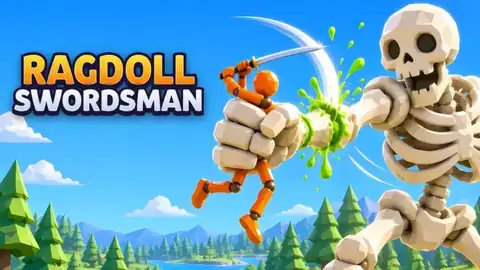
Stickman Kombat 2D (developed by Ernar / Tempo Play) is a crisp 2D martial-arts fighting browser game featuring directional special moves, uppercut air juggles, active blocking, and local 2-player shared-keyboard duels on one PC. If you enjoy the 2-player weapon ladder in Stick Fight Arena or the physics blade swings of Ragdoll Swordsman, Stickman Kombat 2D delivers classic arcade-fighter frame timing right inside your browser tab.
Choose your fighter, read opponent spacing across dojo and tournament stages, chain timed strikes into multi-hit combos, or leap behind a blocking rival to break their guard cleanly.
Mastering Combos, Uppercuts & 2-Player Controls
- Time Strikes Instead of Button Mashing: Pressing Attack (
Jin 1P,Ffor P1,:for P2) at the exact impact rhythm extends your combo string rather than dropping into recovery frames. - Launch Uppercuts (
S + J) & Back Specials (Back + K): Mixing crouch-uppercuts with directional specials keeps opponents guessing between low sweeps, anti-air launchers, and projectile/dash specials. - Hold Block (
S) & Cross Up Behind Guards: HoldingSabsorbs incoming frontal strings; jump over a turtling rival to land behind them and punish their recovery. - Challenge a Friend on One Keyboard: Switch to 2-Player mode so Player 1 (
WASD+F/G) and Player 2 (IJKL+:/") clash head-to-head with zero extra controllers required.
Explore More Ragdoll & Blade Arenas
- Ragdoll Swordsman: 30-level physics sword campaign across 7 boss worlds with
X-key hazard throws. - Stick Fight Arena: 12 weapon fighters with 2v2 tag-team swaps and local 2-player duels.
- Warriors of The Sword: 3D sword-collecting RPG with allies, artifacts, and hero rebirths.
- Archer Ragdoll: Physics bow duels with armor ricochets and limb-specific damage.
Stickman Kombat 2D FAQ
Can I play Stickman Kombat 2D free online?
Yes. Stickman Kombat 2D runs free directly in your desktop, Chromebook, or mobile browser with no downloads or account sign-ups.
How do two players play Stickman Kombat 2D on one keyboard?
Select 2-Player mode on PC: Player 1 uses WASD to move with F to attack and G for special moves, while Player 2 uses IJKL to move with Colon (:) to attack and Quote (\") for special moves.
How do you perform uppercuts and second special moves?
Hold S + J in 1-player mode to launch an uppercut, press K for your primary special move, and press Back + K for your secondary special technique.
How does Stickman Kombat 2D compare to Stick Fight Arena?
Stickman Kombat 2D focuses on classic 2D martial-arts frame combos, uppercuts, and directional specials, whereas Stick Fight Arena emphasizes 12 weapon fighters and 2v2 tag-team swaps.
Arena Combat Log (0)
Cleared level 30, sliced a Titan's wrist, or found a high-coin trap combo? Leave a field note for the next swordsman.